What is an API? Explained for non-technical people
You hear "API" constantly in tech. Job postings mention it. Product announcements mention it. Your developer friends throw it around like everyone knows what it means. Here's what it actually is, in plain English.
The short version
API stands for Application Programming Interface. That name is terrible, so forget it immediately. What an API actually does: it lets two programs talk to each other.
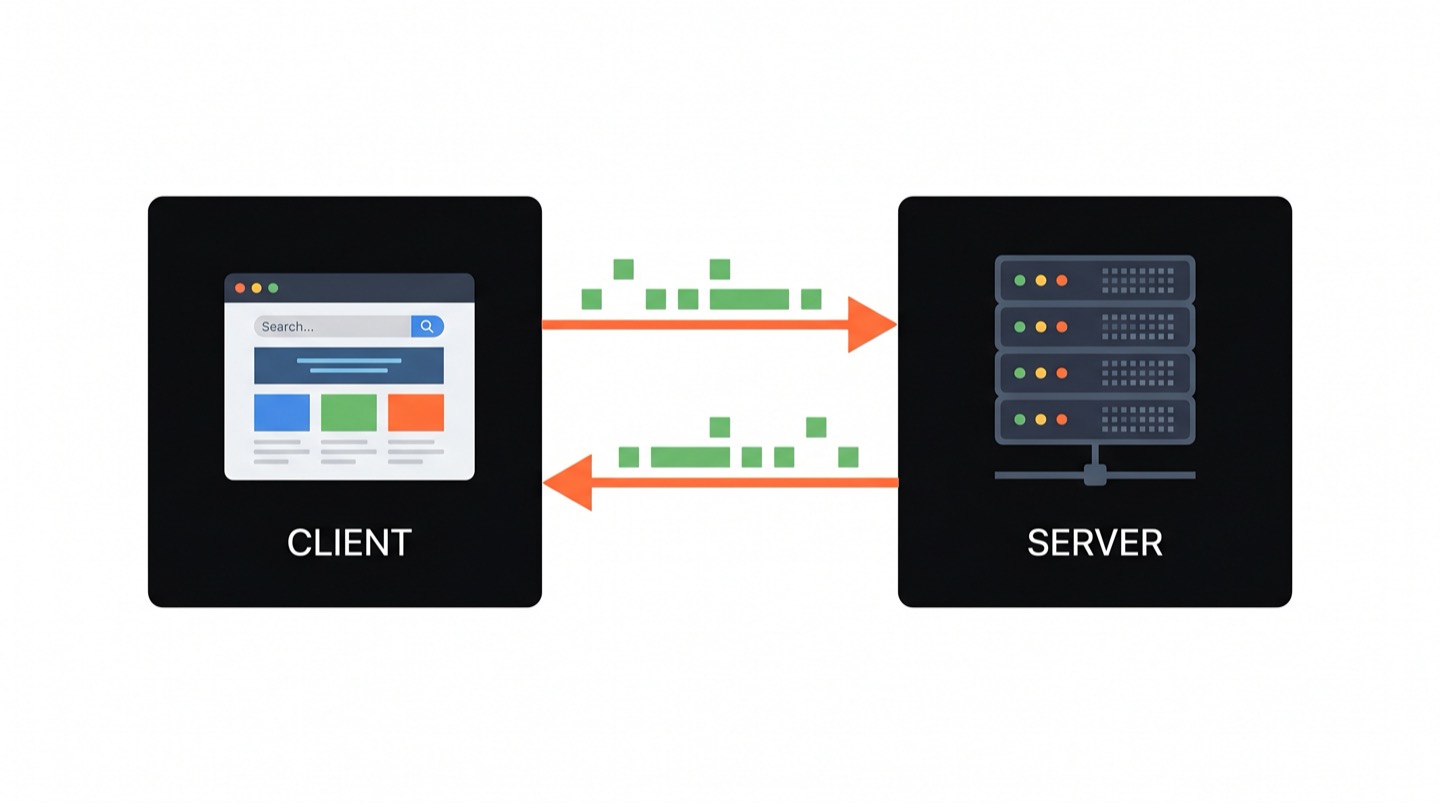
Your phone's weather app doesn't have a weather station inside it. It asks some server on the internet "what's the weather in Tel Aviv?" and gets an answer back. That question-and-answer exchange happens through an API.
People like the restaurant analogy: an API is like a waiter who takes your order to the kitchen and brings back your food. You don't need to know how the kitchen works. You just need to know what's on the menu. That's close enough. But let's get more specific.
How it actually works
When your weather app wants the forecast, it sends a request to a server. The server processes it and sends back a response. That's the whole pattern. Request in, response out.
The request goes to a specific URL, just like a web address. But instead of getting a pretty webpage back, you get raw data. That data comes in a format called JSON, which looks like this:
"city": "Tel Aviv",
"temperature": 28,
"unit": "celsius",
"condition": "sunny"
}
JSON is just a way of organizing information into labels and values. "temperature": 28 means exactly what it looks like. Your weather app reads this data and turns it into the nice screen you see with the sun icon and the number.
I think this is the part that surprises people most. There's no magic protocol, no special binary format. It's readable text, sent over the same internet your browser uses.
You can try it yourself
If you have a terminal (and if you don't, here's what that is), you can make an API request right now. The curl command fetches data from a URL:
That asks GitHub's API for information about a user called "octocat." You'll get back a block of JSON with their profile data: name, bio, number of public repos, when the account was created. Real data from a real server, returned in less than a second.
Every app on your phone does some version of this, thousands of times a day. Instagram loads your feed from an API. Google Maps gets directions from an API. Uber calculates your fare through an API. The app on your screen is mostly a pretty wrapper around API calls.
APIs you already use
"Login with Google" buttons use an API. When you click one, the app talks to Google's servers, confirms your identity, and gets back your name and email. The app never sees your Google password. It only gets what Google's API decides to share.
Payment processing works the same way. When you buy something online, the store's website doesn't handle your credit card directly. It sends the card info to Stripe's API (or PayPal's, or Square's), which does the actual charging and sends back a "payment succeeded" or "payment failed" response.
Weather, maps, translation, stock prices, flight status - all of these come from APIs run by companies that specialize in that data. App developers don't build weather stations or launch satellites. They call an API.
What "request" and "response" look like
A request has a few parts. The URL tells the server what you want. The method tells it what you're trying to do:
GETmeans "give me some data" (loading a profile, fetching the weather)POSTmeans "here's some new data" (creating an account, posting a comment)PUTmeans "update this existing thing"DELETEmeans what you'd expect
The response comes back with a status code. You've seen these before, even if you didn't know it:
200means everything worked404means the thing you asked for doesn't exist (the classic "page not found")500means the server broke
That's it. A URL, a method, and some optional data going in. A status code and some data coming back. Every API call in the world follows this pattern.
Why should you care?
If you work anywhere near technology, APIs come up constantly. Product managers need to understand what's possible when two systems need to share data. Designers need to know what information an API can actually provide. Marketers integrating tools (connecting your CRM to your email platform, say) are configuring API connections whether they realize it or not.
And if you're thinking about learning to code, APIs are where things start feeling real. The first time you write a few lines of code that pull live data from the internet, it stops being abstract. You built something that talks to the outside world. That's a good moment.
Getting hands-on
Reading about APIs only gets you so far. The concept is simple, but it clicks differently when you actually make a request and see data come back.
Zero2Claude has an entire level dedicated to this. Level 6 ("Talk to the Internet") walks you through 12 lessons on HTTP requests, real APIs, status codes, headers, and using curl to interact with live services. You start from zero and build up to fetching real data, parsing JSON, and understanding how the internet actually moves information around. No prior experience needed.
Ready to make your first API call?
12 hands-on lessons. Real APIs. Completely free.
Start Learning Free